
This document is the user manual of Logitech Wireless Mouse M345, which introduces the features and characteristics of the product, installation method, use method, etc.
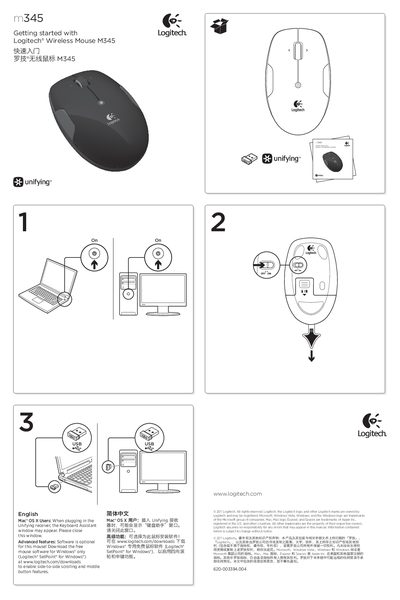
The guide walks you through the initial setup of the Logitech M345 wireless mouse. It explains how to insert the AA battery, connect the Unifying receiver, and optionally install Logitech SetPoint software for extra functions such as side‑to‑side scrolling.
It also lists the mouse’s main features – left/right buttons, a precision scroll wheel, a middle button, tilt‑wheel navigation, a low‑battery LED, and on/off switch – and provides troubleshooting steps if the mouse does not work.
| Battery type | One AA alkaline battery |
|---|---|
| Buttons | Left, right, and middle buttons |
| Scroll wheel | Precision scroll wheel |
| Battery LED | Flashes red when battery power is low |
| Unifying capacity | Up to six devices per receiver |
Plug the Unifying receiver into a USB port, start the Logitech Unifying software, and follow the on‑screen instructions to pair the mouse.
The mouse uses a single AA alkaline battery.
Make sure the mouse is powered on, the receiver is securely plugged in, the battery tab is removed, and the battery is correctly oriented.