
The Logitech G300 is a gaming mouse that can be customized using Logitech Gaming Software, including buttons, tracking behavior, and illumination color.
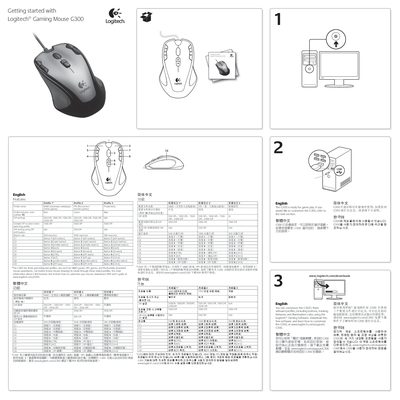
This manual provides a quick start guide for the Logitech G300 gaming mouse, covering how to connect the USB mouse, install the Logitech Gaming Software, and select one of the three pre‑configured profiles (MMO, FPS, Productivity). It also details the button layout, DPI options, and report rates for each profile.
Additional sections offer tips for optimizing performance in different game genres, troubleshooting steps such as checking USB connections or testing on another computer, and a note that the G300 is not compatible with Logitech SetPoint software.
| DPI settings | 500, 1000, 1500, 2500 DPI |
|---|---|
| Report rate | 500 reports/s (Profile 1 & 3), 1000 reports/s (Profile 2) |
| Number of profiles | 3 (MMO, FPS, Productivity) |
No, the G300 mouse does not work with Logitech SetPoint software.
Check the USB connection, try a different USB port, use a powered USB port, reboot the computer, or test the mouse on another computer.