
Key facts
- Brand
- Panasonic
- Model
- KX-TG2208B
- Category
- Telephone
- Industry
- Electronics
- Documents
- 3
- Languages
- EN
- Last added
- 2012-08-07
Start here
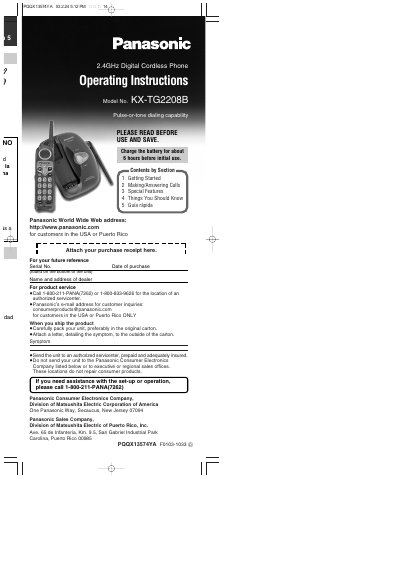
Panasonic KX-TG2208B 2.4GHz Digital Cordless Phone Operating Instructions
This manual provides operating instructions for the Panasonic KX-TG2208B 2.4GHz Digital Cordless Phone. It details how to get started, including charging the battery and connecting the unit to a telephone line. The document explains the location of controls and accessories included with the phone.
Read onlinePanasonic KX-TG2208B specifications
| Frequency | 2.4GHz |
|---|---|
| Battery Type | Nickel metal hydride |
| Operating Time | Up to about 5 hours |
| Standby Time | Up to about 11 days |
Source: Panasonic KX-TG2208B 2.4GHz Digital Cordless Phone Operating Instructions
All Panasonic KX-TG2208B documents by type
Day-to-day operation, settings and troubleshooting. Start here if the product is already set up.
Questions answered in these manuals
How long should I charge the battery before initial use?
Charge the battery for about 6 hours before initial use.
From: Panasonic KX-TG2208B 2.4GHz Digital Cordless Phone Operating Instructions
How do I select the dialing mode?
Press and hold [TONE] or [PULSE] until the unit beeps while the handset is lifted off the base.
From: Panasonic KX-TG2208B 2.4GHz Digital Cordless Phone Operating Instructions
Where can I find the complete operating instructions?
The complete operating instructions are available online in PDF format from the Customer Support section of www.panasonic.com.
From: Panasonic KX-TG2208B 2.4 GHz Digital Cordless Phone Control Panel Layout Description
What is the function of the TALK button?
The TALK button is used for talking and also serves as the Channel button.
From: Panasonic KX-TG2208B 2.4 GHz Digital Cordless Phone Control Panel Layout Description
How long should I charge the battery before initial use?
You should charge the battery for about 6 hours before initial use.
From: Panasonic KX-TG2208B/KX-TG2208W 2.4GHz Digital Cordless Phone Operating Instructions
How do I select the dialing mode?
Press and hold [#] for PULSE or [%] for TONE until the unit beeps.
From: Panasonic KX-TG2208B/KX-TG2208W 2.4GHz Digital Cordless Phone Operating Instructions