
Key facts
- Brand
- Haier
- Model
- U80
- Category
- Cell Phones
- Industry
- Electronics
- Documents
- 2
- Languages
- ZH
- Last added
- 2012-02-28
Start here
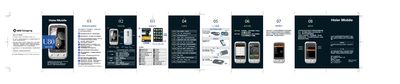
Haier U80 Phone User Manual
This manual introduces the Haier U80 smartphone, covering its hardware layout, basic operation, and a variety of built‑in functions such as call handling, scenario modes, multimedia playback, GPS navigation, and G‑sensor features. Detailed steps show how to insert SIM and storage cards, select input methods, and use the touchscreen interface.
Safety precautions, battery handling, and a troubleshooting section are included to help users resolve common issues like power‑on problems, charging failures, and network connectivity. The document also lists supported media formats, hardware specifications, and contact information for after‑sales service. This manual is written in Chinese.
Haier U80 specifications
| Screen size | 3.2" HVGA |
|---|---|
| Resolution | 320 × 480 |
| Audio jack | 3.5 mm professional headset |
| GPS | Built‑in navigation system |
| Supported video format | RMVB |
| Input methods | Handwriting, Pinyin, English, numeric, symbols |
| G‑sensor | Gravity‑sensing system |
Source: Haier U80 Phone User Manual
All Haier U80 documents by type
Day-to-day operation, settings and troubleshooting. Start here if the product is already set up.
Questions answered in these manuals
What should I do if the phone does not turn on?
Check the battery charge level and re‑install the battery, then press and hold the power key to try turning the phone on again.
Why is the battery not charging properly?
Make sure the battery is correctly installed, use the specified charger, and verify that the charging current matches the phone’s requirements.
What should I do if the phone won't charge?
Check the battery contacts, reinstall the battery, and use the specified charger.