
Key facts
- Brand
- Haier
- Model
- HG-M550
- Category
- Cell Phones
- Industry
- Electronics
- Documents
- 2
- Languages
- ZH
- Last added
- 2012-02-28
Start here
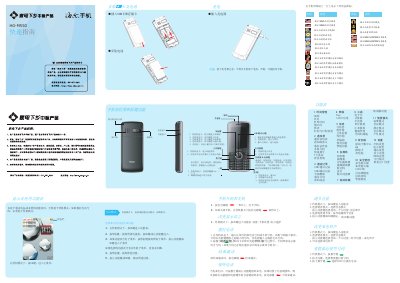
Nan Zhi Su Kuai HG-M550 Quick Start Guide
This guide explains how to install the SIM card and battery, power the phone on and off, adjust volume, set ringtones, and switch between scenario modes. It also describes the layout of the status bar icons and provides basic troubleshooting steps.
Additional sections cover safety notices, battery charging and care, input methods, multimedia functions (camera, music, video, recorder), and various utility tools such as calculator, unit conversion, and health management. This manual is written in Chinese.
All Haier HG-M550 documents by type
The shortest path to a working setup, usually only a few pages.
Questions answered in these manuals
How can I switch between scenario modes?
In standby mode, long‑press the # key to toggle between meeting mode and standard mode.
How do I charge the battery?
Insert the charger into the phone’s charging port and plug it into a power source; the battery icon will show charging.
How do I turn the phone on?
Press and hold the power key for more than one second to turn the phone on.
How can I switch to flight mode?
Select a scenario mode and choose the flight mode option.