
Key facts
- Brand
- Haier
- Model
- H-U55T
- Category
- Cell Phones
- Industry
- Electronics
- Documents
- 2
- Languages
- ZH
- Last added
- 2012-02-28
Start here
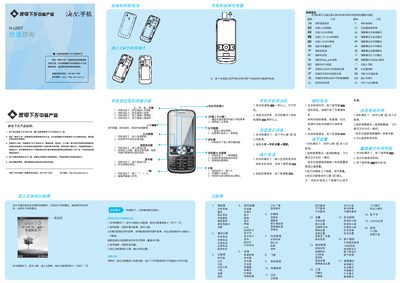
H-U55T Phone Quick Start Guide
The guide provides step‑by‑step instructions for basic operations of the H‑U55T phone, including turning the device on and off, accessing the main menu, and using quick‑function keys. It also covers how to place voice and video calls, adjust volume, change ringtones, and manage SIM and storage cards.
Additional sections describe security features such as firewalls and password protection, language settings, and built‑in applications like e‑books, games, and tools. The document is intended for users who need a concise reference for everyday phone usage. This manual is written in Chinese.
All Haier H-U55T documents by type
The shortest path to a working setup, usually only a few pages.
Questions answered in these manuals
How do I turn the phone on?
Press and hold the power key for more than one second while the phone is in standby mode.
How can I make a video call?
From standby, press the video call key to open the call record, then select a contact to start a video call.
How do I turn the phone on?
Press and hold the power key for more than one second to turn the phone on.
How do I switch the input method while typing?
Press the # key to toggle between input methods such as Pinyin, English, and symbols.