
Key facts
- Brand
- Haier
- Model
- HG-V700
- Documents
- 2
- Languages
- ZH
- Last added
- 2012-02-28
Start here
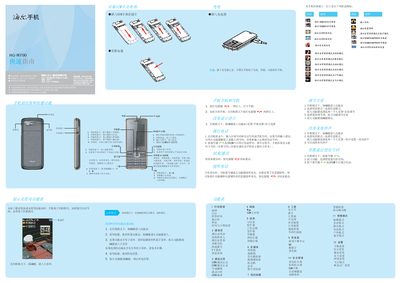
Haier phones HG-V700 QuickStart Guide
The guide begins with basic installation steps, including inserting the SIM card and battery, connecting the charger, and powering the device on or off. It then explains how to adjust volume, change ringtones, and navigate the main menu using the OK, navigation, and function keys.
Further sections cover making and receiving calls, using the address book, sending messages, and accessing multimedia functions such as the camera, music player, and video player. Safety notices, battery handling instructions, and SAR compliance information are also provided. This manual is written in Chinese.
Haier HG-V700 specifications
| Display | Color screen |
|---|---|
| SIM Support | Two SIM cards |
| Network | GSM dual‑band, GPRS |
| Battery | Large‑capacity rechargeable battery |
| Charging Interface | USB data cable (USB‑to‑phone) |
Source: Haier HG-V700 GSM Dual-Band Mobile Phone User Manual
All Haier HG-V700 documents by type
The shortest path to a working setup, usually only a few pages.
Day-to-day operation, settings and troubleshooting. Start here if the product is already set up.
Questions answered in these manuals
How do I insert the SIM card?
Insert the SIM card into the SIM slot as shown in the guide.
How do I charge the phone?
Connect the charger’s plug to the phone’s charging port and then plug the charger into a power source.
How do I charge the battery?
Connect the phone’s left‑hand data port to a USB charger or computer using the supplied data cable; the battery icon will indicate charging.
How do I make a call?
From standby, enter the phone number and press the dial key; use the left soft key for SIM 1 or the right soft key for SIM 2.