
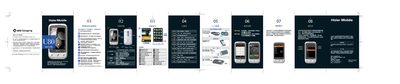
This user manual covers the Haier U80 mobile phone, including precautions for use, phone appearance, getting started, call functions, scenario modes, contacts, SMS and email, and basic operation.
It also describes multimedia features, GPS navigation, the G-sensor, privacy protection, mobile internet, the electronic compass, and other functions, along with common problems and their solutions. This manual is written in Chinese.
| Display | 3.2 inch HVGA touchscreen, 320*480 resolution |
|---|---|
| Video format | RMVB |
| Headset jack | 3.5mm |
| Navigation | GPS navigation system |
| Sensor | G-sensor |
| Processor | NXP7210 at 221MHz |
Check the battery power; if there is poor contact, reinstall the battery and turn it on again.
Confirm that the specified battery and charger are being used.
Confirm that the SIM card is inserted correctly.