
Key facts
- Brand
- Haier
- Model
- HC-D520
- Documents
- 2
- Languages
- ZH
- Last added
- 2012-02-28
Start here
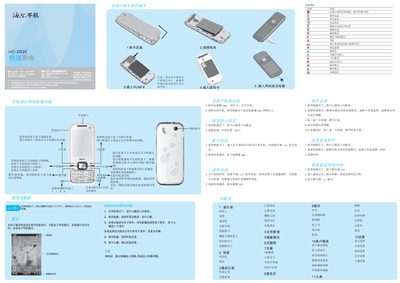
Haier HC-D520 Quick Start Guide
This guide explains how to turn the HC-D520 on by holding the power key for more than one second, insert a UIM/RUIM card, and navigate the function menu using the center, navigation, and soft keys. It also describes quick access shortcuts, such as the left soft key for fast functions and the right soft key for dialing.
Additional sections cover the built‑in input methods (Chinese Pinyin, stroke, numeric, and English keyboards), safety warnings for battery charging and temperature limits, and environmental information such as SAR limits and hazardous substance compliance. This manual is written in Chinese.
All Haier HC-D520 documents by type
The shortest path to a working setup, usually only a few pages.
Questions answered in these manuals
How do I turn the phone on?
Press and hold the power key for more than one second to turn the phone on.
How can I change the language setting?
In standby mode, press the center key, open Settings → Phone Settings → Language to select the desired language.
How do I turn the phone on?
Press and hold the power key for more than one second to turn the phone on.
What happens if I enter the wrong PIN three times?
The phone will be locked and you must enter the PUK code to unlock it.