
Key facts
- Brand
- Epson
- Model
- TM-T70
- Category
- Printer
- Industry
- Electronics
- Documents
- 2
- Languages
- EN
- Last added
- 2026-11-21
Start here
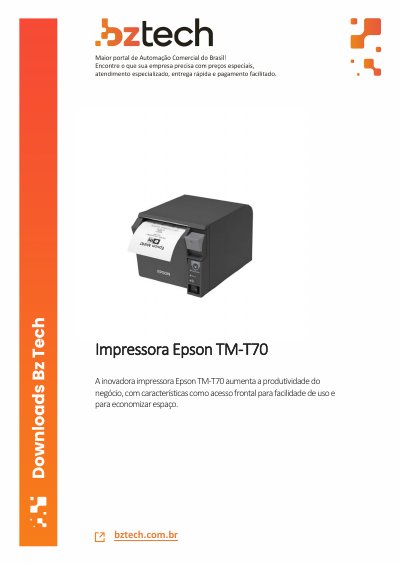
Epson TM-T70 Thermal Printer User Manual
User Manual 85 pages · 1.9 MB · EN
This manual provides instructions for safely installing, operating, and maintaining the Epson TM-T70 thermal printer. It covers setup procedures, safety warnings, interface specifications, and ESC/POS command details for POS system integration. The printer supports multiple interfaces including RS-232C, USB, Ethernet, and wireless LAN.
Read onlineEpson TM-T70 specifications
| Print Method | Thermal line printing |
|---|---|
| Interface Specifications | Serial (RS-232C), Parallel (IEEE 1284-compliant), USB (Full speed), Ethernet (10/100BASE-T), Wireless LAN (802.11b) |
| Paper Width | 80 mm (3.15") |
All Epson TM-T70 documents by type
User Manual 1
Day-to-day operation, settings and troubleshooting. Start here if the product is already set up.
Programming Manual 1
Instruction set, parameters and examples for configuring or programming the device.
Questions answered in these manuals
What interfaces does the TM-T70 support?
It supports RS-232C, IEEE 1284-compliant parallel, USB Full Speed, Ethernet (10/100BASE-T), and Wireless LAN (802.11b).
What is the paper width specification?
The printer uses 80 mm (3.15") wide thermal paper.