
Key facts
Start here
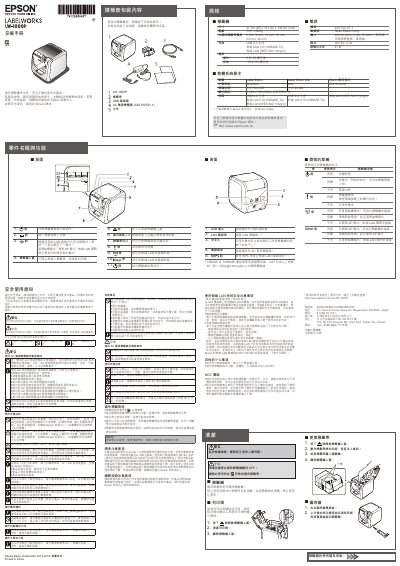
Epson LW-1000P Label Printer User Manual
This document is the user manual for the Epson LW-1000P label printer. It provides instructions on installing the printer, using the power and feed buttons, and configuring the wireless LAN modes (Infrastructure, Simple AP, and Off). The guide also details the functions of the indicator lights and the included accessories. This manual is written in Chinese.
Read onlineEpson LW-1000P specifications
| Dimensions | Approx. 123 (w) x 153 (d) x 139 (h) mm |
|---|---|
| Weight | Approx. 1.080 g |
| Supported ribbon widths | 6 mm, 9 mm, 12 mm, 18 mm, 24 mm, 36 mm |
| Interface | USB 2.0 full speed, wired LAN (10/100BASE-TX), wireless LAN (IEEE 802.11b/g/n) |
| Power supply input | 100-240 V AC, 0.9 A, 50-60 Hz |
| Power supply output | 15 V DC, 2.7 A |
| Total current output | 41 W |
| Operating temperature | Between 5 and 35 C |
| Storage temperature | Between -10 and 55 C |
| Operating systems | Windows, Mac OS X, iOS, Android |
All Epson LW-1000P documents by type
Mounting, wiring and first power-up. Read it before the hardware goes in.
Day-to-day operation, settings and troubleshooting. Start here if the product is already set up.
Questions answered in these manuals
What ribbon widths does the Epson LW-1000P support?
It supports 6 mm, 9 mm, 12 mm, 18 mm, 24 mm, and 36 mm ribbon widths.
What are the dimensions of the printer?
The printer measures approximately 123 x 153 x 139 mm.
What items must be present before using the LW-1000P label printer?
Before use, you must confirm that the front and back labels, USB cable, AC power transformer (AST1527Z1-1), and documentation are included in the package.
What is the required distance between the printer antenna and a person?
To meet radio frequency radiation standards, the product antenna must be kept at least 22 centimeters away from people.