
Key facts
- Brand
- DELL
- Model
- 710m
- Documents
- 10
- Languages
- ZH · EN · ES · PT
- Last added
- 2026-10-14
Start here
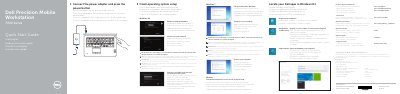
Dell Precision 7710 Mobile Workstation 7000 Series Quick Start Guide
This guide provides initial setup steps for the Dell Precision 7710 mobile workstation, including connecting power, completing operating system setup, enabling security and updates, connecting to a network, and signing in.
It also identifies workstation features, lists support and manual resources, and includes regulatory and safety information for the system.
Dell 710m specifications
| Processor | Intel® Pentium® M or Intel Celeron® M processor |
|---|---|
| Graphics Bus | 64 bits |
| Data Bus Width | 64 bits |
| PCI Bus | 32 bits |
All Dell 710m documents by type
Day-to-day operation, settings and troubleshooting. Start here if the product is already set up.
- Dell Inspiron 710m User Manual Model PP07S 110 p
- Dell Inspiron 710m Notebook Owner's Manual 112 p
- Dell PowerEdge M1000e, M915, M910, M905, M805, M710HD, M710, M610x, M610, M605, and M600 Getting Started With Your System Guide 223 p
- Dell™ Vostro™ 1310, 1510, and 1710 Models PP36S, PP36L, and PP36X Quick Reference and Setup Guide 80 p
- Dell PowerEdge R710 Microsoft Collaboration Tools Deployment Guide 44 p
- Setup and Quick Reference Guide for the Dell™ Vostro™ 1310, 1510 and 1710 Models PP36S, PP36L and PP36X. 76 p
- Dell Inspiron 710m User Manual 110 p
- Dell Inspiron 710m User Manual 110 p
The shortest path to a working setup, usually only a few pages.
Questions answered in these manuals
What does the note symbol indicate in this manual?
The note symbol indicates important information that can help you use your computer better.
Where is the Service Tag located on the computer?
The Service Tag and Microsoft Windows license label are both located on the bottom of your computer.
How do I connect a USB printer?
Connect the printer using a USB cable and follow the setup instructions in the manual.
What is the minimum memory supported?
The minimum supported memory is 256 MB.
What is the minimum number of power supplies required for optimal functionality?
A minimum of three power supplies are required for optimal system functionality.
Can power cables be plugged directly into a power outlet?
No, you must use a power distribution unit (PDU) and not plug the power cables directly into a power outlet.