
Key facts
Start here
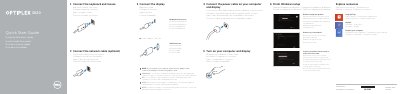
Dell Optiplex 3020 Quick Start Guide
This Dell Quick Start Guide helps set up the Optiplex 3020 desktop computer. It covers connecting the keyboard, mouse, display, network cable, and power cable, then turning on the computer and display.
The guide also explains finishing Windows setup, enabling security and updates, logging into a Microsoft account, and connecting to a network. It lists Dell support contacts, regulatory models, and product features including ports and connectors.
Dell OptiPlex 3020 specifications
| Regulatory model and type | D15M, D08S |
|---|---|
| Computer model | Optiplex 3020 |
| Form factors | SFF, MT |
All Dell OptiPlex 3020 documents by type
The shortest path to a working setup, usually only a few pages.
- Dell Optiplex 3020 Quick Start Guide 2 p
- Dell Optiplex 3020 Quick Start Guide 2 p
- Dell Optiplex 3020 Quick Start Guide 2 p
- Dell OptiPlex 3020 Quick Start Guide 2 p
- Dell OptiPlex 3020 Computer Quick Start Guide 2 p
- Dell Optiplex 3020 Quick Start Guide 2 p
- Dell Optiplex 3020 Quick Start Guide 2 p
- Dell OptiPlex 3020 Desktop Quick Start Guide 2 p
Day-to-day operation, settings and troubleshooting. Start here if the product is already set up.
Disassembly, diagnostics and part numbers, for repair.
Questions answered in these manuals
How do I connect the display with a discrete graphics card?
Connect the display to the discrete graphics card.
What should I do if my OptiPlex 3020 was ordered with a discrete graphics card?
Connect the display to the discrete graphics card.
What should I do if I ordered the computer with a discrete graphics card?
You must connect the display to the discrete graphics card.
Where can I find product support and manuals?
You can find them at dell.com/support and dell.com/support/manuals.
What should I do if I ordered the computer with a discrete graphics card?
Connect the display to the discrete graphics card.
Where can I find product support and manuals?
Visit dell.com/support or dell.com/support/manuals.