
The Dell Quick Start Guide provides instructions on how to connect the keyboard and mouse, network cable, power cable, and display, as well as how to complete Windows setup, enable security and updates, log in to a Microsoft account or create a local account, and connect to a network.
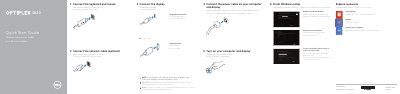
This document serves as a Quick Start Guide for the Dell Optiplex 3020 computer. It provides multilingual instructions (English, Indonesian, Spanish) for connecting essential peripherals such as the keyboard, mouse, network cable, and power cable. The guide also outlines the initial steps for Windows setup, enabling security updates, and logging into a Microsoft account.
| Regulatory model and type | D15M, D08S |
|---|---|
| Computer model | Optiplex 3020 |
| Form factors | SFF, MT |
You must connect the display to the discrete graphics card.
You can find them at dell.com/support and dell.com/support/manuals.