
Dell OptiPlex 3020 Desktop Quick Start Guide

This guide describes how to set up and use a Lenovo desktop computer.
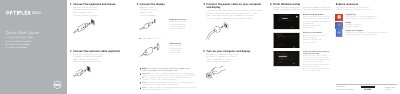

Dell OptiPlex 3020 Desktop Quick Start Guide - cover page
Brand
DELL
Category
Desktops
Document type
Quick Start Guide
Language
English
Pages
2
File format
PDF
File size
240 KB
Published
19 November, 2023
Updated
19 November, 2023
MD5 checksum
4E744CBE282CCE4D873FA3A21B142559

About this manual

This quick start guide shows how to connect the keyboard, mouse, optional network cable, power cable, and display, then complete Windows setup, security and updates, account login, and network connection.

It also identifies the OptiPlex 3020 computer model and regulatory models, lists front and rear features, and points to Dell support, manuals, and regulatory information.

What's inside

  • Connect the keyboard and mouse
  • Connect the network cable (optional)
  • Connect the power cable
  • Connect the display
  • Finish Windows setup
  • Enable security and updates
  • Log in to your Microsoft account or create a local account
  • Connect to your network
  • Features
  • Regulatory model and type

Specifications

Regulatory modelD15M, D08S
Regulatory typeD15M001, D08S001
Shown form factorsOptiPlex 3020 SFF and OptiPlex 3020 MT

Frequently asked questions

Where should the display be connected if the computer has a discrete graphics card?

Connect the display to the discrete graphics card.

What are the regulatory model numbers listed for this computer?

The listed regulatory models are D15M and D08S.

Which OptiPlex 3020 form factors are shown?

The shown form factors are SFF and MT.

Download PDF (240 KB)

More DELL Manuals


View all DELL manuals →