
This guide describes how to quickly get started with your HP computer.
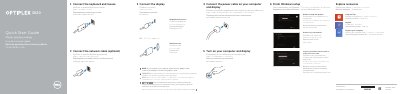
This document serves as a multilingual Quick Start Guide for the Dell Optiplex 3020 computer. It provides step-by-step instructions in multiple languages for connecting peripherals such as the keyboard, mouse, network cable, and power cable. It also details the initial Windows setup process, including enabling security, updates, and logging into a Microsoft account.
| Regulatory model and type | D15M, D08S |
|---|---|
| Regulatory model and type (variant) | D15M001, D08S001 |
| Computer model | Optiplex 3020 |
| Computer model (variant) | Optiplex 3020 SFF |
| Computer model (variant) | OptiPlex 3020 MT |
Connect the display to the discrete graphics card.
Visit dell.com/support or dell.com/support/manuals.