
Dell MK311 Computer Setup Instructions

The setup instructions for a Dell computer, including the monitor, keyboard, mouse, network, and power cords.
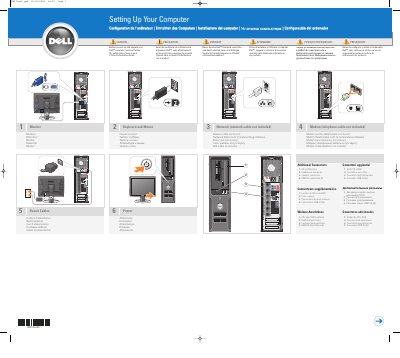

Dell MK311 Computer Setup Instructions - cover page
Brand
DELL
Category
Desktops
Document type
User Manual
Language
English
Pages
2
File format
PDF
File size
2.7 MB
Published
25 November, 2023
Updated
25 November, 2023
Model
MK311
MD5 checksum
2C637AA09FC813CE0F9F53CE41EEABF3

About this manual

This document provides setup instructions for the Dell MK311 computer. It details the connections for the monitor, keyboard, mouse, network cable, modem, and power cables. The guide includes diagrams and labels in multiple languages.

What's inside

  • Setting Up Your Computer
  • Additional Connectors
  • Power
  • Optional Remote Control
  • Media Center
  • Owner's Manual

Frequently asked questions

What should I read before setting up and operating a Dell computer?

You should read and follow the safety instructions in the Product Information Guide.

Is a network cable included?

No, the network cable is not included.

How many USB 2.0 connectors are listed under additional connectors?

6 USB 2.0 connectors are listed.

What should be installed into the optional remote control?

Install batteries into the optional remote control.

Download PDF (2.7 MB)

More DELL Manuals


View all DELL manuals →