
Key facts
- Brand
- DELL
- Model
- Folio WK415
- Category
- Other Computer Accessories
- Documents
- 5
- Languages
- EN · MUL
- Last added
- 2023-11-25
Start here
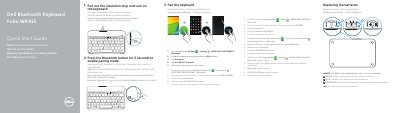
Dell Bluetooth Keyboard Folio WK415 Quick Start Guide
This quick start guide explains how to prepare and pair the Dell Bluetooth Keyboard Folio WK415 with a tablet. It shows pulling out the insulation strip, turning on the keyboard, and using the Bluetooth button to enter pairing mode.
The guide also identifies the keyboard parts and shortcut keys, notes that batteries are installed at delivery, and lists regulatory model information. Support, manual, and regulatory resources are referenced at the end.
Dell Folio WK415 specifications
| Regulatory model and type | K07M K07M001 |
|---|---|
| Bluetooth pairing button hold time | 3 seconds |
| Document date | 2014-03 |
Source: Dell Bluetooth Keyboard Folio WK415 Quick Start Guide
All Dell Folio WK415 documents by type
The shortest path to a working setup, usually only a few pages.
Day-to-day operation, settings and troubleshooting. Start here if the product is already set up.
Questions answered in these manuals
How do I turn on the Dell WK415 keyboard?
Pull out the insulation strip and turn on the keyboard.
How do I pair the keyboard with a tablet?
Press the Bluetooth button for 3 seconds, then on the tablet enable Bluetooth and select Dell WK415 Keyboard.
How do I turn on the Dell WK415 keyboard?
Pull out the insulation strip and turn on the keyboard using the power switch.
How do I put the keyboard into pairing mode?
Press and hold the Bluetooth button for 3 seconds to enable pairing mode.
What should I do if the keyboard is not turning on?
Check if the insulation strip is removed, ensure batteries are installed properly, replace batteries if needed, and slide the power switch to turn on the keyboard.
What operating systems does this keyboard support?
It supports Android 4.4 or later operating systems.