
Key facts
Start here
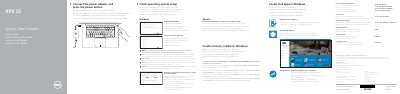
Dell XPS 15 P56F Quick Start Guide
This document serves as a Quick Start Guide for the Dell XPS 15 laptop, model P56F. It provides essential instructions for initial setup, including connecting the power adapter, turning on the device, and configuring the operating system. The guide covers procedures for enabling Dell updates, connecting to a network, and signing into a Microsoft account or creating a local one. This manual is written in Spanish.
Read onlineDell XPS 15 (P56F) specifications
| Regulatory model | P56F |
|---|---|
| Regulatory type | P56F001 |
| Base cover screws | 12 |
All Dell XPS 15 (P56F) documents by type
Disassembly, diagnostics and part numbers, for repair.
Day-to-day operation, settings and troubleshooting. Start here if the product is already set up.
Questions answered in these manuals
What tools are recommended for servicing the Dell XPS 15?
The manual lists a Phillips screwdriver, a flat-head screwdriver, a Torx #5 (T5) screwdriver and a plastic scribe.
What should I do before working inside the computer?
Save and close all open files, exit all running applications, shut down the computer, and disconnect the computer and all attached peripherals from their electrical outlets.
What tools are required to service the Dell XPS 15?
The manual lists a Phillips screwdriver, a flat-head screwdriver, a Torx 5 (T5) screwdriver, and a plastic scribe.
What should I do before working inside the computer?
Save and close all files, shut down the computer, disconnect power and all attached devices and peripherals, remove any media cards or optical discs, then close the display and turn the computer over.
What should I do if I connect to a secured wireless network?
You must enter the password for the wireless network access when prompted.
How do I create recovery media for Windows?
In Windows search, type Recovery, click Create a recovery media, and follow the instructions on the screen.