
Dell MK311 Computer Setup and Installation Guide

Setup instructions for a Dell computer, including the monitor, keyboard, mouse, network, and power cords.
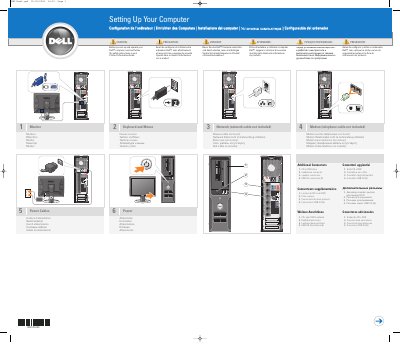

Dell MK311 Computer Setup and Installation Guide - cover page
Brand
DELL
Category
Desktops
Document type
Installation Guide
Language
English
Pages
2
File format
PDF
File size
2.7 MB
Published
20 November, 2023
Updated
20 November, 2023
MD5 checksum
B523220C28FC8B5999C2F1021AD3923B

About this manual

This guide provides instructions for setting up the Dell MK311 computer. It details the connections for the monitor, keyboard, mouse, network, modem, and power cables. The document includes a diagram of additional connectors such as the CD/DVD drive, headphone jack, speakers, and USB ports.

What's inside

  • Setting Up Your Computer
  • Additional Connectors
  • Power
  • Optional Remote Control
  • Media Center
  • Owner's Manual
  • Help and Support

Frequently asked questions

Where can I find the Owner's Manual?

Double-click the owner's manual icon on your Microsoft Windows desktop.

How do I get help with the Windows operating system?

Click the Start button and select Help and Support, then click Microsoft Windows XP Tips.

Download PDF (2.7 MB)

More DELL Manuals


View all DELL manuals →