
Key facts
- Brand
- DELL
- Model
- PowerConnect W-IAP3WN
- Category
- Other network devices
- Documents
- 2
- Languages
- ES · ZH
- Last added
- 2023-11-25
Start here
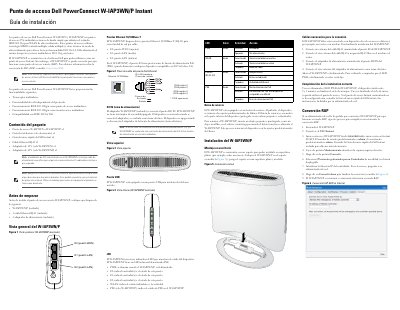
Dell PowerConnect W-IAP3WN/P Series Wireless Access Points Installation Guide
The Dell PowerConnect W-IAP3WN and W-IAP3WNP are single-band wireless access points (AP) that support the IEEE 802.11n standard for high-performance WLAN. These devices utilize MIMO technology to provide 2.4 GHz functionality while remaining compatible with existing 802.11b/g wireless services.
Supplied with Dell software, the W-IAP3WN/P can operate as an Instant access point or be converted to function as a Remote Access Point (RAP). The series includes features such as protocol-independent network functionality and compatibility with IEEE 802.3af PoE. This manual is written in Spanish.
Dell PowerConnect W-IAP3WN specifications
| Wireless Standard | IEEE 802.11b/g/n |
|---|---|
| Ethernet Ports | 3 x 10/100Base-T (RJ-45) |
| PoE Compatibility | IEEE 802.3af |
Source: Dell PowerConnect W-IAP3WN/P Series Wireless Access Points Installation Guide
All Dell PowerConnect W-IAP3WN documents by type
Mounting, wiring and first power-up. Read it before the hardware goes in.
Questions answered in these manuals
How do I reset the W-IAP3WN/P to factory settings?
Insert a small pointed object like a clip into the reset hole and hold the button while powering on the device.
From: Dell PowerConnect W-IAP3WN/P Series Wireless Access Points Installation Guide
What is the difference between the W-IAP3WN and W-IAP3WNP power supplies?
The W-IAP3WN uses a 12 V power supply, while the W-IAP3WNP uses a 48 V power supply; these are not interchangeable.
From: Dell PowerConnect W-IAP3WN/P Series Wireless Access Points Installation Guide
What power input does each model use?
The W-IAP3WN uses a 12 VDC power interface and the W-IAP3WNP uses a 48 VDC power interface.
From: Dell PowerConnect W-IAP3WN/P Instant Access Point Installation Guide
How many Ethernet ports does the access point have?
It has three 10/100 Base-T auto-sensing Ethernet RJ-45 interfaces.
From: Dell PowerConnect W-IAP3WN/P Instant Access Point Installation Guide