
Key facts
Start here
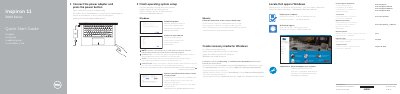
Dell Inspiron 11-3158 (Inspiron 11 3000 Series) Notebook Quick Start Guide
This Dell Quick Start Guide helps users set up the Inspiron 11-3158 notebook. It covers connecting the power adapter, finishing operating system setup, enabling Dell updates, connecting to a network, and signing in to a Microsoft account.
The guide also lists notebook features and ports, shortcut keys, and usage modes including Notebook, Tablet, Tent, and Stand. Support links, regulatory details, and the computer model are provided at the end.
Dell Inspiron 11–3158 specifications
| Computer model | Inspiron 11-3158 |
|---|---|
| Regulatory model | P20T |
| Processor | 6th Generation Intel Core i3 or i5 |
| Memory | 4 GB DDR3L, 1600 MHz, one SODIMM slot |
| USB ports | One USB 2.0, one USB 3.0, one USB 3.0 with PowerShare |
| Video port | One HDMI port |
| Wireless | Wi-Fi 802.11b/g/n, Wi-Fi 802.11ac, Bluetooth 4.0 |
| Graphics | Intel HD graphics with shared system memory |
| Height | 19 mm (0.75 inch) |
| Width | 300 mm (11.81 inch) |
| Depth | 201 mm (7.91 inch) |
| Weight | 1.39 kg (3.06 lb) |
| Operating temperature | 0°C to 35°C (32°F to 95°F) |
All Dell Inspiron 11–3158 documents by type
Day-to-day operation, settings and troubleshooting. Start here if the product is already set up.
Disassembly, diagnostics and part numbers, for repair.
The shortest path to a working setup, usually only a few pages.
Questions answered in these manuals
What ports are available on the left side?
The left side includes the power adapter port, HDMI port, two USB 3.0 ports including one with PowerShare, a headphone/microphone combo port, and the left speaker.
How many memory slots and what memory type are supported?
The computer has one SODIMM slot supporting 4 GB of DDR3L memory at 1600 MHz.
What operating systems does this manual cover for shutting down the computer?
The manual provides shutdown instructions for Windows 10, Windows 8.1, and Windows 7.
Where can I find the service tag if I do not have the physical label?
You can use the automatic detection feature or browse manually by the computer model on the Dell support website.
What should you do before touching any internal component?
Discharge static electricity by touching an unpainted metal surface, such as the metal at the back of the computer.
How do you update the computer BIOS?
Go to www.dell.com/support, enter the Service Number, and download the latest BIOS file from Driver and download.