
This document is a quick start guide for Dell computers, which introduces how to set up and use a Dell computer.
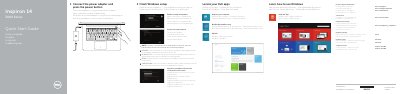
This Dell Quick Start Guide helps users finish Windows setup, locate Dell apps, connect the power adapter, register the computer, and access product support and manuals at dell.com/support. It applies to Inspiron 14 3000 Series models, including Inspiron 14-3451 and Inspiron 14-3458.
The guide lists the computer's features, such as ports, buttons, camera, and media-card reader, and provides shortcut keys for audio, volume, display, search, brightness, wireless, and sleep functions.
| Computer model | Inspiron 14-3451 Inspiron 14-3458 |
|---|---|
| Network port | Inspiron 3458 only |
It covers Inspiron 14-3451 and Inspiron 14-3458.
They are available at dell.com/support, dell.com/support/manuals, and dell.com/windows8.
Enter the password for the wireless network access when prompted.