
Dell EMC PowerEdge C6400 and C6420 Getting Started Guide

The Dell EMC PowerEdge C6400 and C6420 Getting Started Guide describes how to set up and use the Dell EMC PowerEdge C6400 and C6420 servers.
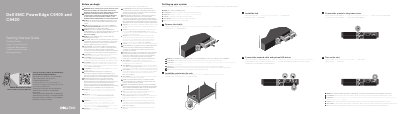

Dell EMC PowerEdge C6400 and C6420 Getting Started Guide - cover page
Brand
DELL
Category
Servers Computer
Document type
Quick Start Guide
Language
English
Pages
2
File format
PDF
File size
352 KB
Published
22 November, 2023
Updated
22 November, 2023
MD5 checksum
1F4BC89B582B771041C868D3D98DFD5F

About this manual

The document outlines the initial setup steps for the Dell EMC PowerEdge C6400 and C6420 servers, including rack installation, sled removal, power connection, and system startup.

It also includes safety warnings, notes on using EPP-compliant power supplies, and references to online documentation.

What's inside

  • Before you begin
  • Setting up your system
  • Install the system into the rack
  • Remove the sled(s)
  • Connect the system to the power source
  • Turn on the sled
  • Install the sled
  • Connect the network cable and optional I/O devices

Frequently asked questions

What should I do before installing the system into the rack?

It is recommended to remove the sled(s) for ease of installation.

How can I turn on the system?

Each sled has a separate power button, or you can use the power button on the front panel of the system.

Download PDF (352 KB)

More DELL Manuals


View all DELL manuals →