
The Dell 14/14R/M431R laptop quick start guide introduces the features of the laptop, including the digital microphone, camera, camera status light, optical drive, USB 2.0 port, media card reader, wireless status light, battery status light, hard drive activity light, power status light, touchpad, headset port, USB 3.0 ports (2), network port, HDMI port, power adapter port, security cable slot, power button, regulatory label and service tag label.
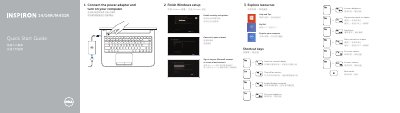
This quick start guide helps set up a Dell 14/14R/M431R laptop, including connecting the power adapter, finishing Windows setup, and exploring resources. It also lists shortcut keys for display, wireless, touchpad, brightness, media playback, and volume controls.
The guide identifies the laptop's features and ports, such as USB 2.0/3.0, HDMI, network, and media-card reader, and provides Dell support, contact, and regulatory information.
| USB 3.0 ports | 2 |
|---|---|
| HDMI port | Present |
| Network port | Present |
| Media-card reader | Present |
| Optical drive | Present |
| Regulatory model | P37G |
| Computer model | Inspiron 14-3421/14R-5421/M431R-5435/3437/5437 |
The guide lists shortcut keys for external display, wireless, touchpad, brightness, media playback, and volume.
The regulatory model is P37G.
The covered computer models are Inspiron 14-3421, 14R-5421, M431R-5435, 3437, and 5437.