
Key facts
Start here
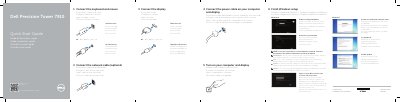
Dell Precision Tower 7910 Quick Start Guide
This guide provides the initial setup steps for the Dell Precision Tower 7910 workstation. It covers connecting essential peripherals such as the keyboard, mouse, network cable, and display, as well as connecting the power cable. It also details the process for turning on the computer and configuring the initial Windows user account and security settings.
Read onlineDell Precision Tower 7910 specifications
| Processor | 4, 6, 8, 10, 12, 14, 16 and 18 core Intel Xeon processor |
|---|---|
| Chipset | Intel(R) C610, C612 |
| BIOS chip | 16 MB serial flash EEPROM |
| Memory module connector | 16 DIMM slots (8 per CPU) |
| Maximum memory | 512 GB |
| Video | Discrete (PCIe 3.0/2.0 x16) up to 4 full-height, full length (maximum of 675 W) |
Source: Dell Precision Tower 7910 Workstation Owner's Manual
All Dell Precision Tower 7910 documents by type
The shortest path to a working setup, usually only a few pages.
Day-to-day operation, settings and troubleshooting. Start here if the product is already set up.
Disassembly, diagnostics and part numbers, for repair.
Questions answered in these manuals
What should I do if I am connecting to a secured wireless network?
Enter the password for the wireless network access when prompted.
Where can I find support and manuals for this device?
Visit dell.com/support or dell.com/support/manuals.
What processors are used in the Dell Precision Tower 7910?
It uses 4, 6, 8, 10, 12, 14, 16 and 18 core Intel Xeon processors.
What is the maximum memory supported by the Dell Precision Tower 7910?
The maximum memory is 512 GB, with a minimum of 8 GB per CPU.
What should you do if you are connecting to a secured wireless network?
Enter the password for the wireless network access when prompted.
What is required to connect to a secured wireless network?
You must enter the password for the wireless network access when prompted.