
The new touch display combines the reliable performance and touch technology of Elo Touch Solutions touch products with the latest advances in display design. This combination of performance provides a natural flow of information between the user and the touch display.
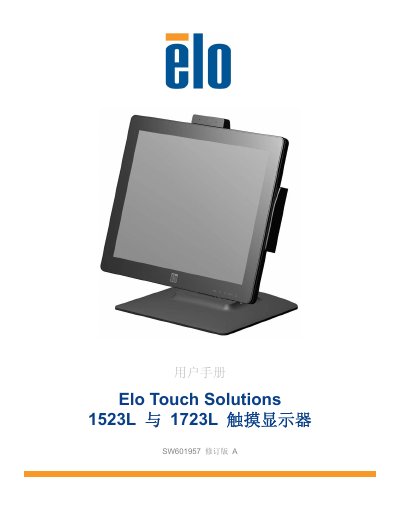
The Elo Touch Solutions 1523L and 1723L are touch monitors with a 16.2M color active-matrix TFT LCD panel and LED backlight. This manual covers introduction, installation, assembly, operation, technical support, safety and maintenance, regulatory information, and warranty.
Installation includes connecting DVI or VGA video, USB touch, audio, and power, plus installing touch drivers for Windows. Operation covers power states, factory calibration, and iTouch Plus touch behavior on Windows 7 and Windows XP. This manual is written in Chinese.
| Display panel | 16.2M color active-matrix TFT LCD panel |
|---|---|
| Touch technology | iTouch Plus |
| Touch interface | Windows HID driver |
| Power adapter input | 100-240 VAC, 50-60 Hz |
| Power adapter output | 12 VDC, minimum 4.16 A, LPS |
| Monitor input | 12 VDC, 4.16 A |
| Operating temperature | 0°C to 40°C |
| Operating humidity | 20% to 80% (non-condensing) |
| Operating altitude | 0 to 3,048 m |
| Storage temperature | -20°C to 60°C |
| Storage humidity | 10% to 90% (non-condensing) |
| Storage altitude | 0 to 12,192 m |
| Environmental use period | 10 years |
The package includes the touch monitor with screen protector, user manual CD, Japanese regulatory booklet, quick installation guide, VGA cable, DVI cable, USB cable, audio cable, AC-DC power adapter, North American power cord, and European power cord.
Insert the wing screw into the hole marked H on the base bottom for the high profile, or into the hole marked L for the low profile.
It reports 2-point simultaneous touch on Windows 7 and single-point touch on Windows XP.
Use window or glass cleaner on a cloth or sponge; do not pour cleaner directly on the screen, and avoid alcohol, thinner, benzene, or abrasive cleaners.