
Key facts
- Brand
- Elo Touch Solutions
- Model
- 1723L
- Category
- Monitors
- Documents
- 4
- Languages
- ZH · JA · EN
- Last added
- 2023-11-20
Start here
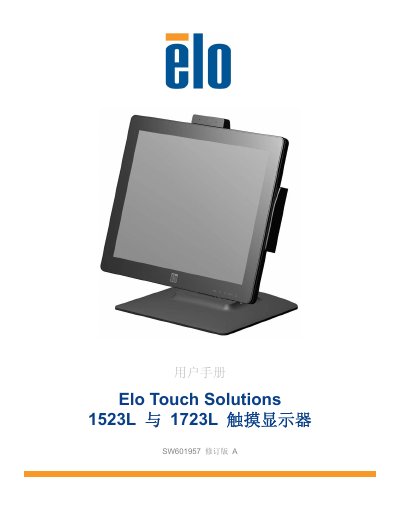
Elo Touch Solutions 1523L, 1723L Touch Monitor User Manual SW601957 Rev. A
The Elo Touch Solutions 1523L and 1723L are touch monitors with a 16.2M color active-matrix TFT LCD panel and LED backlight. This manual covers introduction, installation, assembly, operation, technical support, safety and maintenance, regulatory information, and warranty.
Installation includes connecting DVI or VGA video, USB touch, audio, and power, plus installing touch drivers for Windows. Operation covers power states, factory calibration, and iTouch Plus touch behavior on Windows 7 and Windows XP. This manual is written in Chinese.
Elo Touch Solutions 1723L specifications
| Display panel | 16.2M color active-matrix TFT LCD panel |
|---|---|
| Touch technology | iTouch Plus |
| Touch interface | Windows HID driver |
| Power adapter input | 100-240 VAC, 50-60 Hz |
| Power adapter output | 12 VDC, minimum 4.16 A, LPS |
| Monitor input | 12 VDC, 4.16 A |
| Operating temperature | 0°C to 40°C |
| Operating humidity | 20% to 80% (non-condensing) |
| Operating altitude | 0 to 3,048 m |
| Storage temperature | -20°C to 60°C |
| Storage humidity | 10% to 90% (non-condensing) |
| Storage altitude | 0 to 12,192 m |
| Environmental use period | 10 years |
Source: Elo Touch Solutions 1523L, 1723L Touch Monitor User Manual SW601957 Rev. A
All Elo Touch Solutions 1723L documents by type
Day-to-day operation, settings and troubleshooting. Start here if the product is already set up.
Questions answered in these manuals
What is included in the box?
The package includes the touch monitor with screen protector, user manual CD, Japanese regulatory booklet, quick installation guide, VGA cable, DVI cable, USB cable, audio cable, AC-DC power adapter, North American power cord, and European power cord.
From: Elo Touch Solutions 1523L, 1723L Touch Monitor User Manual SW601957 Rev. A
How do I switch the stand between low and high profile?
Insert the wing screw into the hole marked H on the base bottom for the high profile, or into the hole marked L for the low profile.
From: Elo Touch Solutions 1523L, 1723L Touch Monitor User Manual SW601957 Rev. A
Do I need to install a touch driver for Windows 10?
No additional driver is needed for surface acoustic wave or projected capacitive touch monitors on Windows 10, since the Windows HID driver is used. Elo's own touch driver is only required for mouse emulation mode or for position calibration of the acoustic wave model.
From: Elo Touch Solutions 1523L / 1723L Touch Monitor User Manual (HDMI Version rev.E4)
How do I download the latest Elo touch driver?
Go to www.elotouch.com/Support/Downloads/Driver/DriverDownload/Default.aspx (or https://www.tps.co.jp/support), select your operating system and technology from the drop-down menus, and download the driver version for your touch monitor.
From: Elo Touch Solutions 1523L / 1723L Touch Monitor User Manual (HDMI Version rev.E4)
What touch driver software is needed?
iTouch Plus touchmonitors require software installation, while projected-capacitive models use Windows HID drivers with Windows 7 and 8.
From: Elo Touch Solutions 1523L and 1723L Touchmonitors User Manual
What is included in the box?
The package includes the touchmonitor, user manuals CD, quick install guide, VGA, DVI, USB and audio cables, AC-DC power adapter, and regional power cables.
From: Elo Touch Solutions 1523L and 1723L Touchmonitors User Manual