
Key facts
- Manuals
- 2
- Languages
- ZH · EN
- Last added
- 2026-10-03
Featured Elo Touch Solutions manuals
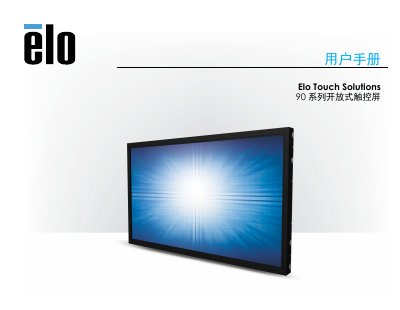
Elo Touch Solutions 90 Series RevB UM600 135 Rev F User Manual
This manual provides all the information needed to install, configure and operate the Elo 90 Series RevB UM600 135 Rev F touch‑screen monitor. It includes step‑by‑step installation instructions, hardware connection details, software driver guidance and safety/maintenance recommendations.
The document also contains technical specifications, regulatory compliance data, and warranty terms, helping users ensure proper setup and long‑term reliability of the device. This manual is written in Chinese.
Covers: Introduction · Installation · Hardware Installation · Operation · Technical Support · Safety and Maintenance

Elo Touch Solutions 3201L and 4201L IDS Touchmonitors Wallmounting Kit Installation Guide
This manual provides safety warnings, a list of kit components, and step‑by‑step instructions for mounting Elo Touch Solutions 3201L and 4201L IDS touch monitors on stud or solid walls. It also covers removal, service, and technical support information.
The kit includes brackets, lock brackets, a mounting‑hole template, screws, and a printed guide. Detailed procedures cover both landscape and portrait orientations, required tools, fastener types for different wall constructions, and how to secure the monitor safely.
Covers: Safety Warning · Kit Contents · Installation Overview · Preparation for mounting in landscape orientation · Preparation for mounting in portrait orientation · Removal and Service
Latest Elo Touch Solutions manuals
Elo Touch Solutions 90 Series RevB UM600 135 Rev F User Manual
User Manual 26 pages · 740 KB · ZHUser manual for the Elo 90 Series RevB UM600 135 Rev F touch‑screen monitor covering installation, operation, safety and warranty.
Elo Touch Solutions 3201L and 4201L IDS Touchmonitors Wallmounting Kit Installation Guide
Installation Guide 17 pages · 1024 KB · ENInstallation guide for Elo Touch Solutions wallmounting kit designed for 3201L and 4201L IDS touch monitors.
Which document do I need?
User Manual
Day-to-day operation, settings and troubleshooting. Start here if the product is already set up.
Installation Guide
Mounting, wiring and first power-up. Read it before the hardware goes in.
Questions answered in Elo Touch Solutions manuals
Do I need to install drivers for Windows 7/8/10?
No additional drivers are required; the monitor uses the standard Windows HID driver on Windows 7, 8.1, 10 and newer.
From: Elo Touch Solutions 90 Series RevB UM600 135 Rev F User Manual
What is the warranty period for this touch‑screen monitor?
The product and its components are covered by a three‑year warranty.
From: Elo Touch Solutions 90 Series RevB UM600 135 Rev F User Manual
How many screws are provided for wood stud wall installation?
Four M3‑6 mm screws are included, plus eight 1/4" × 2‑1/2" flat‑head wood screws for the brackets.
From: Elo Touch Solutions 3201L and 4201L IDS Touchmonitors Wallmounting Kit Installation Guide
Can the kit be used to mount the monitor in portrait orientation?
Yes, but the kick‑stand brackets must not be used with the 4201L model when mounting in portrait orientation.
From: Elo Touch Solutions 3201L and 4201L IDS Touchmonitors Wallmounting Kit Installation Guide