
This is a product manual for M-CC2BRS Bluetooth mouse, which mainly introduces the names and functions of each part of the mouse, usage methods, storage methods, charging methods, low-power mode and pairing methods.
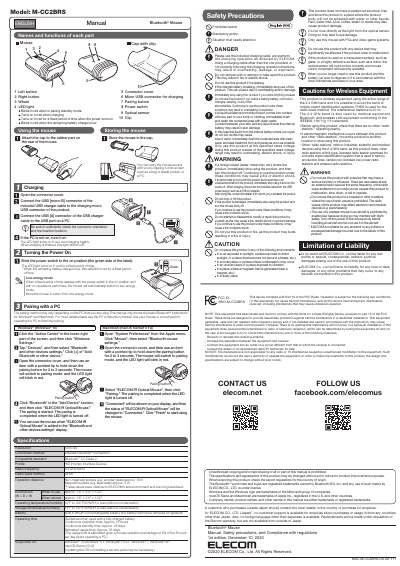
This manual explains how to charge, pair, and operate the ELECOM M-CC2BRS Bluetooth mouse with Windows 10 or macOS Sierra. It includes safety warnings, battery life, and compatibility details. The mouse uses Bluetooth 3.0 and has a built-in rechargeable battery. Pairing instructions are provided for both Windows and Mac systems, including steps to hold the pairing button and confirm connection via LED indicators.
| Connection method | Wireless Bluetooth® connection |
|---|---|
| Compatible standard | Bluetooth® 3.0 Class 2 |
| Radio frequency | 2.4 GHz band |
| Operating temperature/humidity | 41°F to 104°F/90%RH or less (without condensation) |
| Battery | Built-in lithium-ion rechargeable battery |
| Operating time | Approx. 18 hours continuous operation |
| Supported OS | Windows® 10, Windows® 8.1, Windows® RT8.1, Windows® 7, Windows® XP, macOS Sierra (10.12) |
The LED light will blink in red for a fixed period of time.
Approx. 10 meters on non-magnetic surfaces, approx. 3 meters on magnetic surfaces.