
The document describes the features and characteristics of the 104 and 105 products.
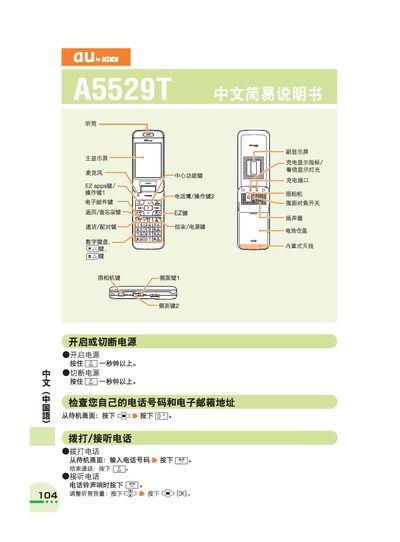
This manual describes the layout of the main and secondary displays, the functions of each key, and how to manage calls, contacts, and messages. It also covers charging, battery status, and built‑in antenna usage.
Additional sections explain how to use the camera for video and photo capture, make international calls, set voice prompts, and manage voice memos and silent mode. Step‑by‑step button sequences are provided for each operation. This manual is written in Chinese.
Press and hold the power key for more than one second to turn the phone on or off.
Press and hold the camera key for more than one second, then press the capture key to take a photo.
From the standby screen, press and hold the designated key for about one second to toggle silent mode.