
This document introduces the usage of au KDDI mobile phone, including turning on and off, setting default settings, checking your own phone number, dialing, answering calls, storing and recalling address book data.
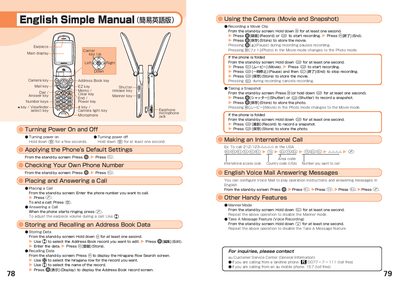
The manual explains how to turn the phone on and off, check your own phone number, place and answer calls, and manage the address book. It also covers voice mail configuration and the Manner mode feature.
Additional sections describe using the built‑in camera for movies and snapshots, making international calls, and other handy functions such as the Take A Message voice recording feature.
Hold down the power key for a few seconds.
From the stand‑by screen, hold down the © key for at least one second, select the record, enter the data, and press the store key.
From the stand‑by screen, hold down the © key for at least one second, then press the Record key to start and the End key to stop.