
This simplified Chinese version mainly introduces the features and usage methods of W41CA.
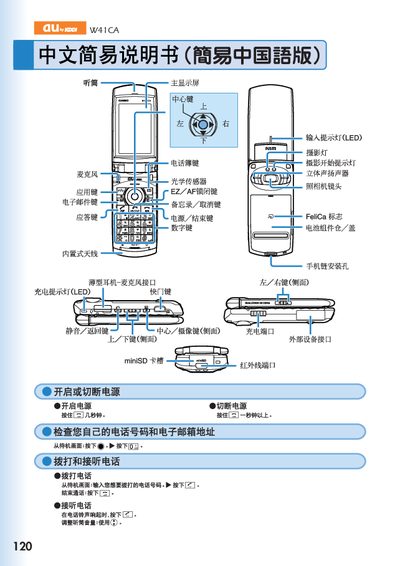
The guide covers essential phone functions such as turning the device on and off, dialing numbers, answering calls, adjusting the earpiece volume, and using mute mode. It also explains how to save and view contacts, manage voice mail, and make international calls.
Additional sections describe the built‑in camera, including how to capture snapshots and record short animations, as well as other features like voice recording and accessing external accessories. Contact information for au customer service is provided at the end. This manual is written in Chinese.
Press and hold the power key for a few seconds.
From the standby screen, enter the phone number and press the call key.
When the phone rings, press the answer key.