
About W51CA 123(Chinese version)
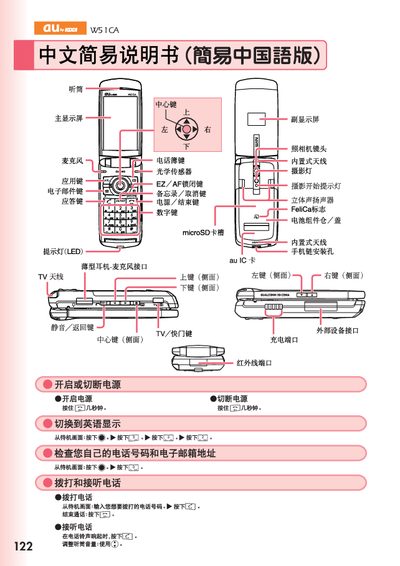
This manual provides step‑by‑step instructions for operating the au W51CA mobile phone. It covers basic functions such as making and receiving calls, saving and viewing address‑book entries, and using the built‑in camera for both animation and snapshot modes.
Additional sections describe how to switch the display language to English, set up voicemail, place international calls, and enable or disable auxiliary features like the external audio mode. Contact information for customer service is also included. This manual is written in Chinese.
From the standby screen press the FS, CS and 2 keys to change the language to English.
From the standby screen press the call key to start dialing; press the end key to hang up.