
This document is a user manual for the 2007 220EW8 monitor, which introduces the features and characteristics of the monitor, including installation, connection and use.
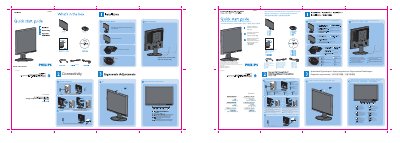
This guide explains how to install the La Base stand onto the Philips 220EW8 monitor, including positioning the base, inserting the unit vertically, and securing it. It also details cable management, power and video connections, and how to use the slide switch lock.
Additional sections cover OSD menu access, tilt and ergonomic adjustments, recommended display settings, and a quick reference for the monitor's control buttons. The document includes a list of items supplied in the box and registration information. This manual is written in Chinese.
| Recommended resolution | 1680x1050 @ 60 Hz |
|---|---|
| Power input | AC |
| Video inputs | DVI‑D, VGA |
| Video inputs | VGA |
Place the base on the desk, insert the monitor vertically into the base, check the insertion, then lay the unit horizontally.
Pull the slide switch upward and lock it; to unlock, pull it down.
Set the monitor to 1680 × 1050 resolution at 60 Hz for best performance, preferably using the DVI‑D input.