
This document is an introduction to the Lexmark X9350 Wireless Office All-in-One, which introduces the features of this product, including wireless technology, automatic duplex printing, professional quality printing, and multi-function All-in-One
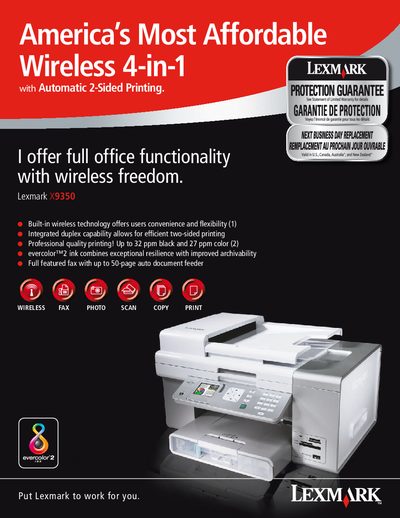
The Lexmark X9350 is a wireless office all‑in‑one printer that offers built‑in 802.11b/g Wi‑Fi, Ethernet networking, duplex printing, and a range of office functions including fax, scan, copy, and photo printing. It supports high‑speed printing up to 32 ppm black and 27 ppm color, with a maximum resolution of 4800 × 1200 dpi.
The manual lists technical specifications such as a 52 dBA print noise level, a 5,000‑page monthly duty cycle, and extensive media compatibility. Connectivity options include Ethernet 10/100BaseTX, USB 2.0, and optional Bluetooth for camera printing. Supported operating systems cover Windows 2000/XP/Vista and Mac OS X 10.3‑10.4.
| Connectivity | Ethernet 10/100BaseTX (RJ-45), USB 2.0, 802.11b/g wireless |
|---|---|
| Dimensions (HxWxD) | 10.6 × 18.3 × 15.1 in |
| Weight | 22.5 lb |
| Print Speed | Up to 32 ppm black, 27 ppm color |
| Duplex Capability | Two‑sided printing and copying |
It includes Ethernet 10/100BaseTX (RJ‑45), USB 2.0, and 802.11b/g wireless.
Supported OSes are Microsoft Windows 2000, XP, XP Professional x64, Vista, and Apple Mac OS X 10.3‑10.4.