
Instructions for accessing and modifying Zebra ZXP Series 7 Card Printer settings, including color optimization, sharpening, and preheat adjustments.
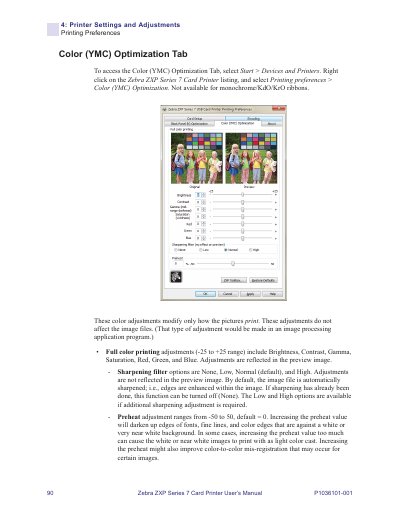
This manual provides instructions for accessing and modifying printer settings and adjustments for the Zebra ZXP Series 7 Card Printer. It details how to access the Color (YMC) Optimization Tab via the Windows Devices and Printers menu to adjust printing preferences.
| Color adjustment range | -25 to +25 |
|---|---|
| Sharpening filter options | None, Low, Normal, High |
| Preheat adjustment range | -50 to 50 |
Select Start > Devices and Printers, right-click on the Zebra ZXP Series 7 Card Printer listing, and select Printing preferences > Color (YMC) Optimization.
Full color printing adjustments include Brightness, Contrast, Gamma, Saturation, Red, Green, and Blue, with a range from -25 to +25.
The available sharpening filter options are None, Low, Normal, and High, with Normal set as the default.
The preheat adjustment ranges from -50 to 50, with a default value of 0.