
Key facts
- Brand
- SONY
- Model
- WM-FX675
- Category
- MP3 Player
- Industry
- Electronics
- Documents
- 2
- Languages
- EN
- Last added
- 2012-03-21
Start here
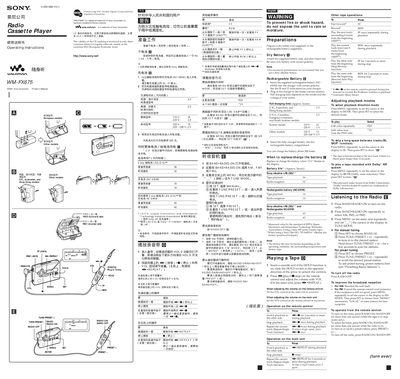
Sony WM-FX675 Walkman User Manual
This manual covers the basic operation of the Sony WM-FX675 Walkman cassette player, including how to insert batteries, use the remote control, and play tapes. It also explains the radio functions, presetting stations, and sound‑enhancement features such as Mega Bass and Sound Revitalizer.
Safety precautions, maintenance tips, and technical specifications are included to help users keep the device in good condition and avoid damage to the unit or batteries.
SONY WM-FX675 specifications
| FM frequency range | 87.5 – 108 MHz |
|---|---|
| AM frequency range (North, Central, South America) | 530 – 1710 kHz |
| Tape playback frequency response (Dolby NR off) | 40 – 15 000 Hz |
| Headphone jack load impedance | 8 – 300 Ω |
| Power requirement | 15 V |
| Dimensions (W × H × D) | 108.4 × 77.7 × 23.9 mm |
| Mass | 145 g (5.2 oz) |
| Dry battery type | One R6 (size AA) battery |
| Rechargeable battery type | NC‑6WM, 1.2 V, 600 mAh, Ni‑Cd |
| Battery life – alkaline (tape playback) | 36 hours |
| Battery life – alkaline (radio reception) | 32 hours |
| Battery life – rechargeable (tape playback) | 10 hours |
| Battery life – rechargeable (radio reception) | 10 hours |
All SONY WM-FX675 documents by type
Day-to-day operation, settings and troubleshooting. Start here if the product is already set up.
Questions answered in these manuals
How do I know when the battery needs to be replaced or recharged?
Replace or charge the battery when the “<1” symbol flashes in the display.
How do I lock the controls to prevent accidental operation?
Slide the HOLD switch in the direction of the arrow to lock the controls of the Walkman or the remote control.
How do I replace or charge the battery?
Replace or charge the battery when the “<1” indicator flashes on the display. To charge, insert the supplied rechargeable battery (NC‑6WM) into the charger with correct polarity, plug the charger into the mains, and allow it to charge for the time indicated for your region’s voltage.
How can I preset radio stations?
You can store up to 32 stations (12 each for FM1 and FM2, 8 for AM). Turn the radio on, press MENU until the cursor shows “PRESET”, use TUNE/PRESET + /‑ to select a frequency, then press ENTER to store it. Repeat for additional stations.