
Key facts
- Brand
- SONY
- Model
- TRV40
- Category
- Camcorders
- Documents
- 4
- Languages
- EN · ZH · JA
- Last added
- 2012-03-24
Start here
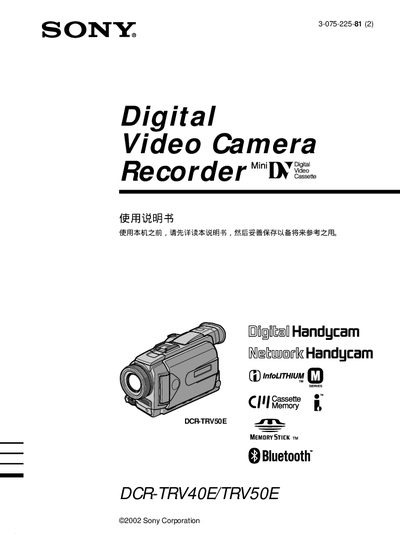
Sony DCR-TRV40E/TRV50E Camcorder User Manual
This manual explains how to operate the Sony DCR-TRV40E/TRV50E camcorder, covering basic functions such as recording video and audio, using the Memory Stick for storage, and accessing advanced features like digital zoom, Bluetooth, and USB connectivity. Safety precautions are included to prevent fire hazards and moisture damage.
The guide also details quick‑start procedures, installation of accessories, battery and power requirements, and step‑by‑step troubleshooting for common issues. Compatibility information for Windows and Macintosh computers is provided for transferring recorded media. This manual is written in Japanese.
SONY TRV40 specifications
| Model numbers covered | CCD-TRV30 and CCD-TRV40 |
|---|---|
| Supplied battery pack | NP-66 |
| AC power adaptor | AC-V26 |
All SONY TRV40 documents by type
Day-to-day operation, settings and troubleshooting. Start here if the product is already set up.
Questions answered in these manuals
Which camcorder models does this manual cover?
This manual covers the CCD-TRV30 and CCD-TRV40 models.
What battery pack is supplied with the camcorder?
The NP-66 battery pack is supplied.
How do I set the date and time on the camcorder?
Select the “认定日期和时间” option in the menu as described in step 2 of the quick‑start guide.
From: Sony DCR-TRV140/CCD-TRV107/TRV108/TRV308/TRV408/TRV608 Camcorder User Manual
How do I eject the video tape?
Press the EJECT button on the camcorder; the tape compartment will open automatically.
From: Sony DCR-TRV140/CCD-TRV107/TRV108/TRV308/TRV408/TRV608 Camcorder User Manual
How do I set the date and time on the camcorder?
Select the DATE/TIME menu (page 26) and follow the on‑screen prompts to enter the current date and time.
From: Sony CCD-TRV107E / TRV108E / TRV208E / TRV408E Handycam User Manual
What is the maximum digital zoom for these models?
Digital zoom ranges from 450× to 560× depending on the model, with the CCD‑TRV408E offering up to 560×.
From: Sony CCD-TRV107E / TRV108E / TRV208E / TRV408E Handycam User Manual