
Key facts
- Brand
- Siemens
- Model
- RS910
- Category
- Other network devices
- Industry
- Industrial
- Documents
- 4
- Languages
- EN · ZH
- Last added
- 2026-11-17
Start here
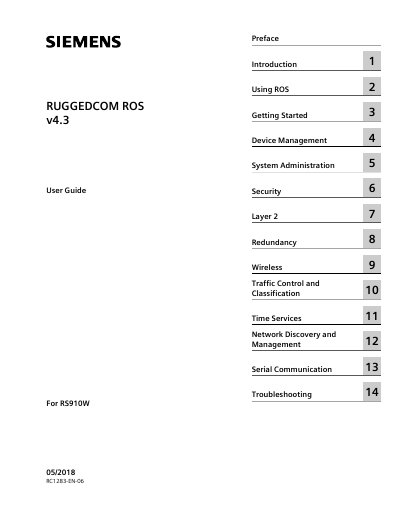
Siemens RUGGEDCOM ROS v4.3 User Guide for RS910W
This document is the RUGGEDCOM ROS v4.3 User Guide for the RS910W, published by Siemens Canada Ltd. It covers using ROS, getting started, device management, system administration, and security.
It also documents Layer 2 features, redundancy, wireless, traffic control and classification, time services, network discovery and management, serial communication, and troubleshooting.
Siemens RS910 specifications
| Power supply type HI input range (hazardous environments) | 100-240 VAC |
|---|---|
| Power supply type 24 input range (hazardous environments) | 12-24 VDC |
| Maximum power consumption | 10 W |
| Failsafe relay isolation (hazardous environments) | 1500 V rms for 1 minute |
| Copper Ethernet port maximum distance | 100 m (328 ft) |
Source: Siemens RUGGEDCOM RS910 Network Device Installation Guide
All Siemens RS910 documents by type
Mounting, wiring and first power-up. Read it before the hardware goes in.
Day-to-day operation, settings and troubleshooting. Start here if the product is already set up.
Questions answered in these manuals
What does the RUGGEDCOM RS910 Installation Guide cover?
It describes the device's major features, installation, commissioning and important technical specifications. It is intended for network technical support personnel and other technical users.
From: Siemens RUGGEDCOM RS910 Network Device Installation Guide
What is the typical maximum distance for copper Ethernet ports?
It is 100 m (328 ft). The distance depends on the number of connectors and splices.
From: Siemens RUGGEDCOM RS910 Network Device Installation Guide
Where can the RUGGEDCOM RS910L be mounted?
The device can be mounted on a DIN rail or a panel for efficient use of cabinet space.
From: Siemens RUGGEDCOM RS910L Rugged Ethernet Switch Installation Manual
What is the purpose of EoVDSL in the RS910L?
It allows Ethernet-enabled devices to communicate with a central control room using existing telephone grade or legacy serial cabling, saving costs on new cabling.
From: Siemens RUGGEDCOM RS910L Rugged Ethernet Switch Installation Manual
How is ROS accessed?
The guide describes using the web interface, console interface, and command line interface.
What security topics are covered?
Security topics include passwords, clearing private data, user authentication, port security, and SSH/SSL keys and certificates.