
Key facts
Start here
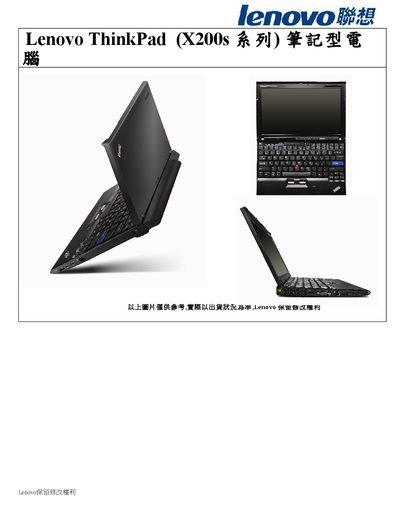
Lenovo ThinkPad X200s Laptop User Manual
This manual describes the ThinkPad X200s notebook, highlighting its Intel Core 2 Duo processor, 2 GB DDR3 memory, 12.1" WXGA display, and integrated graphics. It also lists storage options, connectivity (Gigabit Ethernet, Wi‑Fi, USB ports), battery life, and pre‑installed software.
Additional sections cover security features such as the Trusted Platform Module, the ThinkLight keyboard illumination, warranty details, and power‑adapter specifications, helping users configure and maintain the device safely. This manual is written in Japanese.
Lenovo ThinkPad X200S specifications
| Processor | See system properties (no specific model listed) |
|---|---|
| Memory | DDR3 synchronous dynamic random access memory |
| Storage device | 2.5‑inch (64 mm) HDD or 1.8‑inch (46 mm) SSD |
| Display size | 12.1 inch (307 mm) |
| Display resolution | LCD 1280 × 800, external up to 2048 × 1536 |
| LED backlight | Available on some X200s models |
| USB ports | 3 Universal Serial Bus (USB) connectors |
Source: Lenovo ThinkPad X200/X200s Service and Troubleshooting Guide
All Lenovo ThinkPad X200S documents by type
Day-to-day operation, settings and troubleshooting. Start here if the product is already set up.
Disassembly, diagnostics and part numbers, for repair.
Questions answered in these manuals
Which passwords are covered in the manual?
The manual describes power‑on password, hard‑disk password, and supervisor password.
From: Lenovo ThinkPad X200 and X200s Hardware Maintenance Manual
What is the part number for this manual?
The manual’s part number is 43Y6632_01.
From: Lenovo ThinkPad X200 and X200s Hardware Maintenance Manual
How do I open Access Help on the ThinkPad?
Press the ThinkVantage button or go to Start → All Programs → ThinkVantage → Access Help.
From: Lenovo ThinkPad X200/X200s Service and Troubleshooting Guide
Where can I find the Safety and Warranty Guide?
The Safety and Warranty Guide is included in the package and also uploaded on Lenovo’s website.
From: Lenovo ThinkPad X200/X200s Service and Troubleshooting Guide
What is the warranty period for the ThinkPad X200s?
The notebook comes with a three‑year global warranty, while the battery is covered for one year.
Does the X200s include a security module?
Yes, it is equipped with a Trusted Platform Module (TPM) for hardware‑based security.