
Key facts
- Brand
- Lenovo
- Model
- M300
- Category
- Mouse keyboard
- Industry
- Computers
- Documents
- 2
- Languages
- EN · ZH
- Last added
- 2026-11-11
Start here
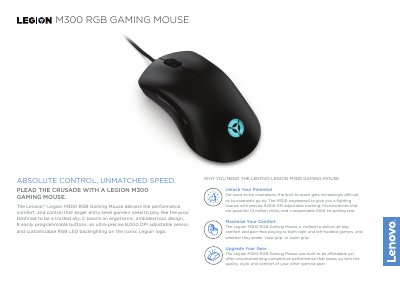
Lenovo Legion M300 RGB Gaming Mouse User Guide
The Lenovo Legion M300 RGB Gaming Mouse is designed for entry-level gamers, featuring an ergonomic ambidextrous design, 8 programmable buttons, and customizable RGB backlighting. It utilizes a Pixart 3325 optical sensor with up to 8,000 DPI resolution and a 1000 Hz polling rate for precise tracking and fast response.
Read onlineLenovo M300 specifications
| Sensor Technology | Optical Pixart 3325 |
|---|---|
| Sensor Resolution | Up to 8,000 DPI |
| Max. Moving Speed | 100 IPS |
| Maximum Acceleration | 20 g |
| USB Report Rate | 1000 Hz (1 ms) |
| Programmable Buttons | 8 |
| Button Durability | 10 Million Clicks |
| Dimensions | 127 x 70 x 42 mm |
| Weight | Starting at 90 g |
| Cable Length | 1.8 m (5.9 ft) |
| Warranty | 1 Year |
All Lenovo M300 documents by type
Day-to-day operation, settings and troubleshooting. Start here if the product is already set up.
Mounting, wiring and first power-up. Read it before the hardware goes in.
Questions answered in these manuals
Is the Lenovo Legion M300 suitable for both left and right-handed users?
Yes, it features an ergonomic, ambidextrous design crafted for both right and left-handed gamers.
What is the polling rate of the M300 RGB Gaming Mouse?
The mouse has a USB report rate of 1000 Hz (1 ms).
What is the required rack space for the DM3000x and DM5000x storage systems?
The system requires 2U of rack space for each chassis.
From: Lenovo DM3000x/DM5000x Storage System Installation Guide
What baud rate must be set on the client console port?
The client console port must be set to 115,200 baud.
From: Lenovo DM3000x/DM5000x Storage System Installation Guide