
Lenovo DM3000x/DM5000x Storage System Installation Guide

Installation guide for Lenovo DM3000x and DM5000x storage systems, covering hardware setup, cabling, and configuration.
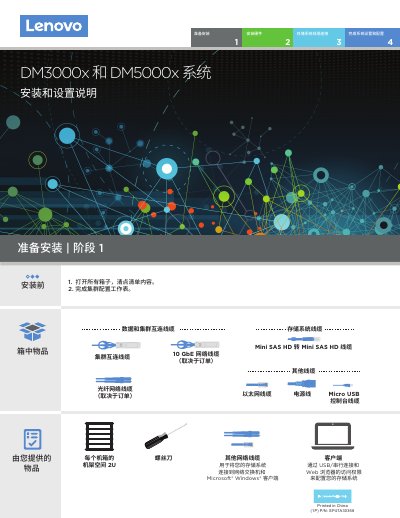

Lenovo DM3000x/DM5000x Storage System Installation Guide - cover page
Brand
Lenovo
Category
Storage devices
Document type
Installation Guide
Language
Chinese
Pages
4
File format
PDF
File size
30.9 MB
Published
25 October, 2026
Updated
25 October, 2026
MD5 checksum
FCAB307836E88A2D09BCA887257AC7AB

About this manual

This document provides instructions for installing and configuring Lenovo DM3000x and DM5000x storage systems. It covers the preparation of items from the kit, mounting the system in a rack, and connecting necessary cables including power, network, and SAS interconnects. This manual is written in Chinese.

What's inside

  • Hardware Preparation
  • Rack Installation
  • Cable Connections
  • Network Configuration
  • Power Connection
  • System Configuration
  • Storage Shelf Setup

Frequently asked questions

What is the required rack space for the DM3000x and DM5000x storage systems?

The system requires 2U of rack space for each chassis.

What baud rate must be set on the client console port?

The client console port must be set to 115,200 baud.

How long must you wait after setting the drive bay ID before powering it off?

You must wait approximately 10 seconds for the LEDs to light up before turning off the power.

Download PDF (30.9 MB)

More Lenovo Manuals


View all Lenovo manuals →