
This is a mobile phone user manual, which introduces the use methods of mobile phone power on and off, charging, dialing, answering calls, adjusting volume and other functions.
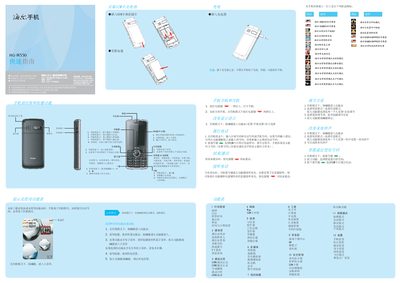
This guide introduces the essential operations for the Haier HG-M550 mobile phone, including powering on/off, selecting scenario modes, using the keypad, and accessing core functions such as calls, messaging, and multimedia. It also explains how to switch input methods, manage SIM cards, and adjust network settings.
Additional sections cover safety precautions, battery handling, charging procedures, and environmental information such as SAR limits. The guide ends with instructions for restoring factory settings and troubleshooting common issues. This manual is written in Chinese.
| SAR (Maximum) | 0.274 W/kg |
|---|
Press and hold the power key for more than one second to turn the phone on.
Select a scenario mode and choose the flight mode option.
Press the # key to toggle between the available input methods such as Pinyin, stroke, English, or numeric.
Go to Settings > Restore Factory Settings and enter the initial password 0000.