
Dell OptiPlex USFF 780/OptiPlex SFF 980 AIO Stand User Guide

OptiPlex USFF 780/OptiPlex SFF 980 AIO stands come with stand and cables.
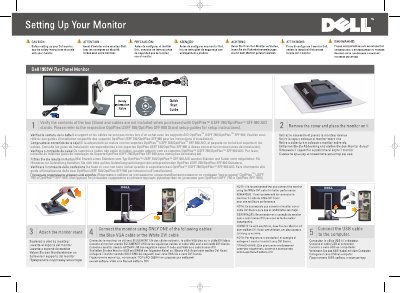

Dell OptiPlex USFF 780/OptiPlex SFF 980 AIO Stand User Guide - cover page
Brand
DELL
Category
Desktops
Document type
User Manual
Language
English
Pages
2
File format
PDF
File size
8.8 MB
Published
20 November, 2023
Updated
20 November, 2023
MD5 checksum
1FD63CB9E10932A747E92F870CB76F64

About this manual

This document describes the Dell OptiPlex USFF 780 and OptiPlex SFF 980 All-in-One (AIO) stands. It notes that the stands and cables are not included when purchased with the respective AIO units and directs users to separate setup guides for installation instructions.

The guide identifies the physical features of the stand, including USB downstream ports, regulatory labels, brightness/contrast controls, auto-adjust, input source selection, the OSD menu, power button, Dell Soundbar mounting brackets, stand release button, and cable management slots.

What's inside

  • Verify the contents of the box
  • Ports
  • Regulatory and PPID Label
  • Brightness/Contrast
  • Auto Adjust
  • Input Source
  • OSD Menu
  • Dell Soundbar mounting brackets
  • Stand Release Button
  • Cable management slot
Download PDF (8.8 MB)

More DELL Manuals


View all DELL manuals →