
Dell OptiPlex USFF 780/OptiPlex SFF 980 AIO Stand Quick Start Guide

OptiPlex USFF 780/OptiPlex SFF 980 AIO stands come with stand and cables.
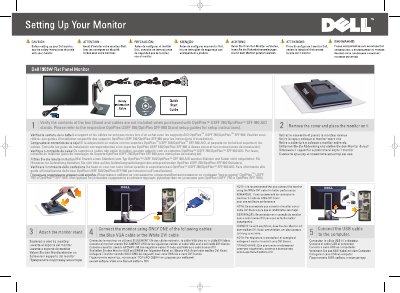

Dell OptiPlex USFF 780/OptiPlex SFF 980 AIO Stand Quick Start Guide - cover page
Brand
DELL
Category
Other Computer Accessories
Document type
Quick Start Guide
Language
English
Pages
2
File format
PDF
File size
8.8 MB
Published
25 November, 2023
Updated
25 November, 2023
MD5 checksum
3FFD3A531626231F17B487EE7EBD8A07

About this manual

This Dell document covers the OptiPlex USFF 780/OptiPlex SFF 980 AIO Stand and explains how to verify box contents. It notes that the stand and cables are not included when purchased with certain OptiPlex AIO stands and refers users to separate stand setup guides.

The document identifies stand and monitor parts including USB downstream ports, the regulatory and PPID label, brightness/contrast controls, auto adjust, input source, the OSD menu, Dell Soundbar mounting brackets, the stand release button, and the cable management slot.

What's inside

  • Verify the contents of the box
  • USB downstream ports
  • Regulatory and PPID Label
  • Brightness/Contrast
  • Auto Adjust
  • Input Source
  • OSD Menu
  • Stand Release Button
  • Cable management slot
  • Adjust the monitor

Frequently asked questions

Are the stand and cables included with the OptiPlex USFF 780/OptiPlex SFF 980 AIO?

No. The stand and cables are not included when purchased with those OptiPlex AIO stands.

Is rotation applicable for the AIO stand?

No. Rotation is not applicable for the AIO stand.

Download PDF (8.8 MB)

More DELL Manuals


View all DELL manuals →