
Dell OptiPlex 3050 All-in-One Quick Start Guide

Dell OptiPlex 3050 All-in-One Quick Start Guide
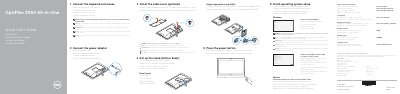

Dell OptiPlex 3050 All-in-One Quick Start Guide - cover page
Brand
DELL
Category
All-in-One Desktops
Document type
Quick Start Guide
Language
English
Pages
2
File format
PDF
File size
285 KB
Published
19 November, 2023
Updated
19 November, 2023
MD5 checksum
67E2779DE48CF75CA554CF7C80DFB089

About this manual

This quick start guide covers initial setup of the Dell OptiPlex 3050 All-in-One, including installing the stand, connecting the power adapter, keyboard, mouse, and network, and finishing operating system setup.

It also identifies the computer's features and ports, describes locating Dell apps and SupportAssist, and provides product support, manual, and regulatory information.

What's inside

  • Finish operating system setup
  • Set up the stand (HAS or Easel)
  • Connect the power adapter
  • Connect the keyboard and mouse
  • Connect to your network
  • Features
  • Locate Dell apps
  • SupportAssist
  • Product support and manuals
  • Regulatory and safety

Specifications

Input voltage100 V AC–240 V AC
Input current (maximum)2.5 A
Input frequency50 Hz–60 Hz
Output current6.7 A/9.23 A
Output voltage19.5 V DC

Frequently asked questions

How do I finish operating system setup?

Follow the instructions on the screen to finish setup.

Is securing the cable cover with the Torx screw required?

Securing the cable cover by using the Torx screw is optional.

What should I do when connecting a wireless keyboard or mouse?

See the documentation that shipped with the wireless keyboard or mouse.

Where can I find product support and manuals?

Product support and manuals are available at Dell.com/support and Dell.com/support/manuals.

Download PDF (285 KB)

More DELL Manuals


View all DELL manuals →