
Dell Latitude 7480 Laptop Quick Start Guide

Dell Latitude 7480 Laptop Quick Start Guide
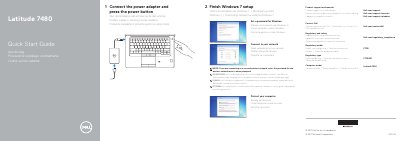

Dell Latitude 7480 Laptop Quick Start Guide - cover page
Brand
DELL
Category
Laptops
Document type
Quick Start Guide
Language
Dutch
Pages
2
File format
PDF
File size
247 KB
Published
24 November, 2023
Updated
24 November, 2023
MD5 checksum
53824E1240072C9D0BC615FDABDFCD49

About this manual

This guide helps you power on and set up your Dell Latitude 7480 laptop. It covers connecting the power adapter, completing Windows setup, setting a password, and connecting to your network. The guide also lists hardware features like camera, microphones, USB ports, and optional components such as fingerprint reader and NFC sensor. This manual is written in Dutch.

What's inside

  • Connect the power adapter and press the power button
  • Finish Windows 7 setup
  • Set a password for Windows
  • Connect to your network
  • Protect your computer
  • Product support and manuals
  • Regulatory and safety
  • Features

Frequently asked questions

What is the regulatory model number for this laptop?

The regulatory model for the Latitude 7480 is P73G.

What is the regulatory type code for this device?

The regulatory type for this device is P73G001.

What should I do if I connect to a secured wireless network?

You must enter the password for the wireless network access when prompted.

Download PDF (247 KB)

More DELL Manuals


View all DELL manuals →