
The Dell Latitude 7480 Quick Start Guide provides information on how to use the Dell Latitude 7480 laptop.
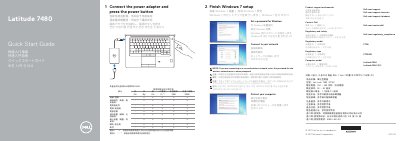
This quick start guide helps users begin using a Dell Latitude 7480. It describes connecting the power adapter, completing Windows 7 setup, setting a password, connecting to a network, protecting the computer, and finding product support and manuals.
It also identifies the laptop's features and ports, including the camera, microphones, USB 3.0 ports, HDMI port, and DisplayPort over USB Type-C, with optional fingerprint reader, NFC sensor, smartcard reader, pointstick, and Thunderbolt 3. Regulatory and safety information includes regulatory model P73G, regulatory type P73G001, and Taiwan RoHS and electrical rating details.
| Regulatory model | P73G |
|---|---|
| Regulatory type | P73G001 |
| Computer model | Latitude 7480 |
| Rated voltage | 100-240 V AC |
| Rated frequency | 50-60 Hz |
| Rated input current | 1.7 A / 2.5 A |
| USB 3.0 port with PowerShare | Included |
| DisplayPort over USB Type-C | Optional Thunderbolt 3 |
Connect the power adapter and press the power button.
Use Dell.com/support, Dell.com/support/manuals, and Dell.com/support/windows.
The regulatory model is P73G.
Optional features include the fingerprint reader, NFC sensor, smartcard reader, pointstick, and Thunderbolt 3 over USB Type-C.