
The Dell Latitude 7480 Quick Start Guide provides instructions on how to connect the power adapter, set up Windows 7, connect to a network, protect your computer, and get product support and manuals.
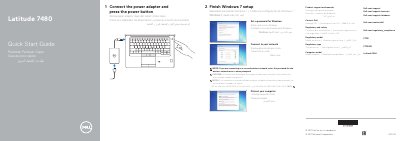
This guide helps you set up your Dell Latitude 7480 laptop quickly. It covers connecting the power adapter, completing Windows 7 setup, connecting to a network, and setting a password. It also lists the laptop’s physical features including ports, camera, microphone, fingerprint reader, and display connectors.
The guide includes multilingual support (English, Indonesian, Spanish, Arabic) and provides regulatory and safety information. It is designed for immediate use after unboxing, with step-by-step instructions for basic setup and device identification.
Connect the power adapter and press the power button.
Connect the power adapter and then press the power button.
Enter the password for the wireless network access when you are prompted.